Multi-cloud · Media · Every platform
All your clouds. One app. Every screen.
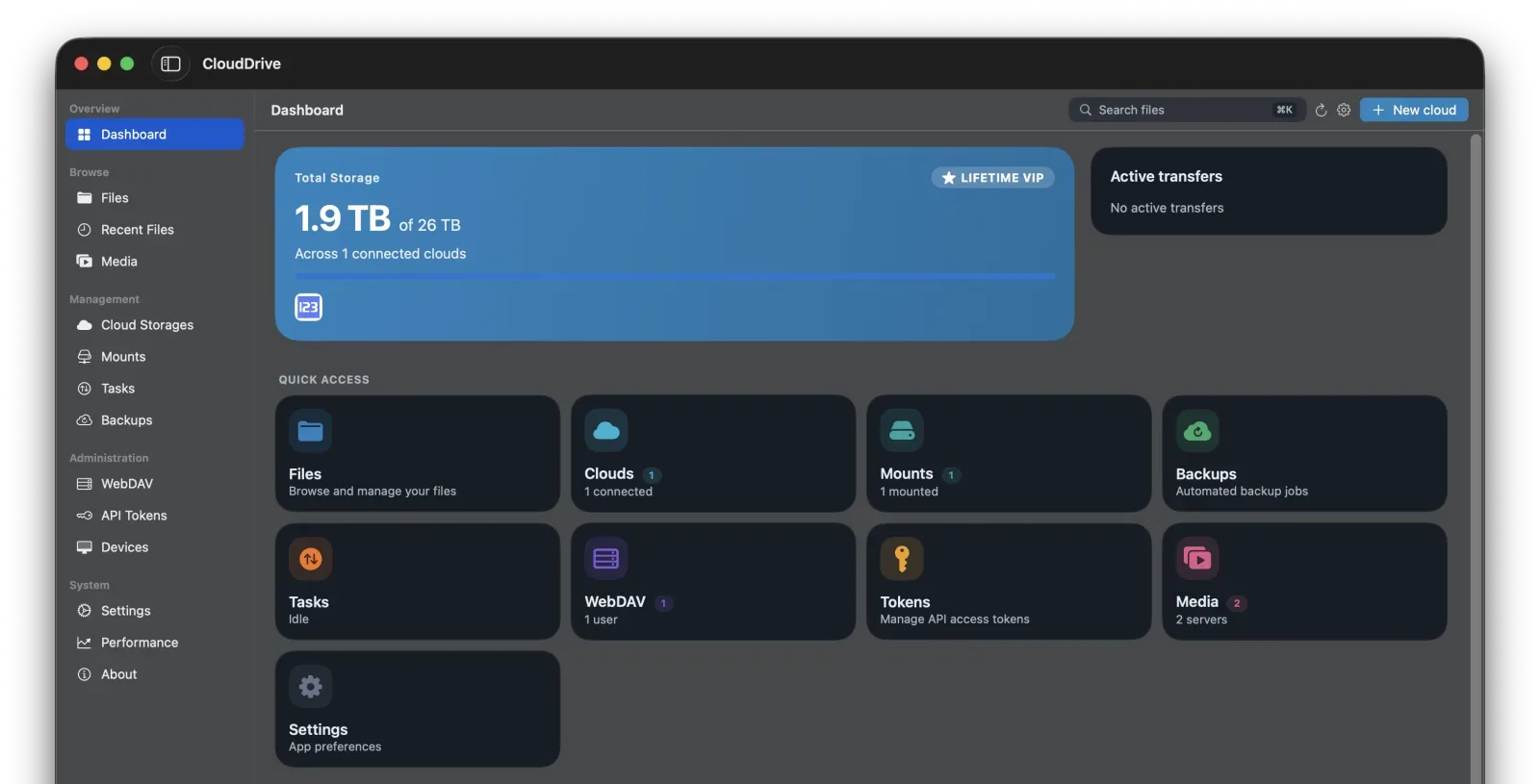
CloudDrive2 mounts every cloud drive you own as a local disk — then streams what's on them, in cinema quality, to your phone, Mac, TV and headset. No downloading first.
- True Dolby Vision P7 FEL
- Blu-ray disc menus
- DSD1024
- AI subtitles
- Emby · Jellyfin direct
- Gigabyte PDFs in seconds
Supported platforms
New
Introducing CloudDrive2 App
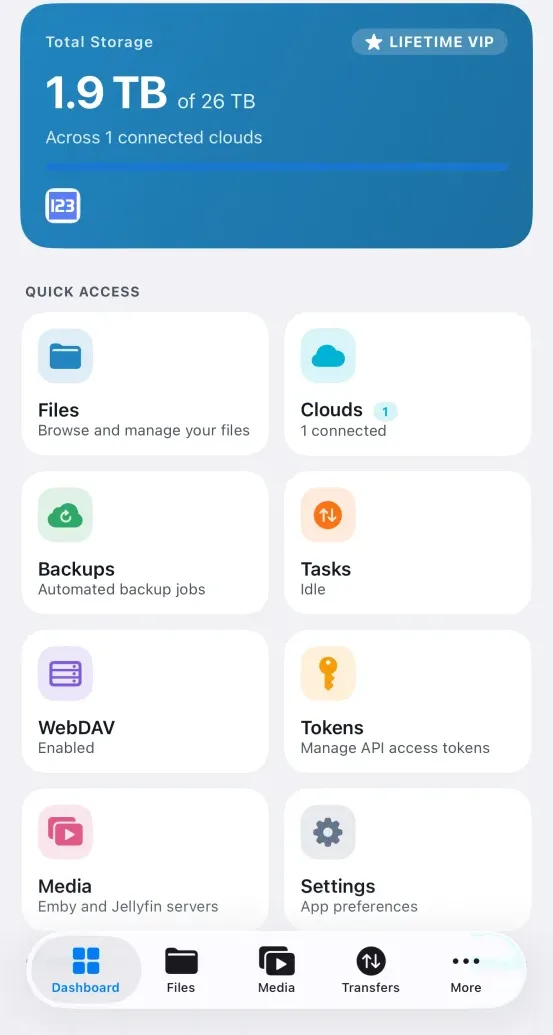
We are delighted to announce CloudDrive2 App: native apps for iPhone, iPad, Mac, Apple TV, Vision Pro, Android phones and TVs, Meta Quest and Windows — each with professional-grade video, audio and document playback.
What about the CloudDrive2 I already run?
Still here, and not replaced. It is now called CloudDrive2 Core, and the new apps are built on top of it.
The one you have been using
CloudDrive2 Core
This is the original CloudDrive2. It is still a standalone product: it runs on a computer, a NAS, Docker or a server, you manage it through the browser, and it remains under active development.
The new one
CloudDrive2 App
Built on that same, still-developing Core, running natively on every platform and adding professional-grade video, audio and document playback on top.
More scenarios and more file types are coming.
The core
The same core, on every device
The CloudDrive2 core manages every cloud account you have and handles cross-cloud copying, encryption, backup and WebDAV. It is the background service you install on a computer, NAS or Docker host, and it is built into every platform app in full — phones, TVs and headsets need no server of their own. Each item below opens the full explanation.
-
Mount clouds as local disks
Mount any number of clouds as local drives and use them like an internal disk. The only cloud mount with full file-system semantics: POSIX permissions, ownership and extended attributes, Windows security descriptors and ACLs, and random writes that never download the whole file first.
-
One place for every cloud
Organise files, sync folders and search across providers from a single interface — Aliyun Drive, Baidu, 115, Tianyi, 123 Pan, OneDrive, Google Drive, Xunlei, WebDAV and local folders.
-
Sign in once, use anywhere
Sign in to your cloud accounts once and reach them from any device. Account details are encrypted with your password, and the server only ever stores a hash of it.
-
Built-in WebDAV server
CloudDrive2 is itself a WebDAV server, so any WebDAV client can reach your combined cloud storage.
-
Share it with an API token
Create an API token and any client that speaks the CloudDrive API can connect — another CloudDrive2, or third-party software. Far more survives than over WebDAV: thumbnails and previews, search on the cloud, offline downloads, rapid upload, capacity and direct links — granted item by item, with an expiry.
-
PRO
Fast cross-cloud copying
Move files between clouds directly, without downloading them first. Saves your time and your bandwidth.
-
PRO
File change notifications
Get notified the moment a cloud file changes, so filesystem-watching tools keep working as they should.
-
PRO
Encrypted filesystem
Create encrypted folders in any cloud or local folder. Filenames use AES, contents use chacha20-poly1305, and the password never leaves your machine. Unlocked, it behaves like any other folder.
-
PRO
Per-application permissions
Define and manage file access per program, so you control exactly which app can read or write what.
-
Fair to the cloud providers
CloudDrive2 keeps your experience smooth while using as little of the provider's capacity as it can.
-
PRO
Multi-cloud backup
Back any local disk or cloud up to several destinations at once, with automatic change detection, incremental runs and unlimited version history for overwrites and deletions.
-
Runs on nearly anything
Windows, Linux and macOS computers. Synology, QNAP, Unraid and fnOS NAS boxes. Android phones and TV boxes. Even OpenWRT routers.
Media
Watch what's in the cloud, from the cloud
The CloudDrive2 App's player reads straight from cloud storage, so a 60 GB disc image never has to come down to your device first. Decoding, menus, audio tracks and subtitles all come with it.
Emby & Jellyfin client with Direct Stream
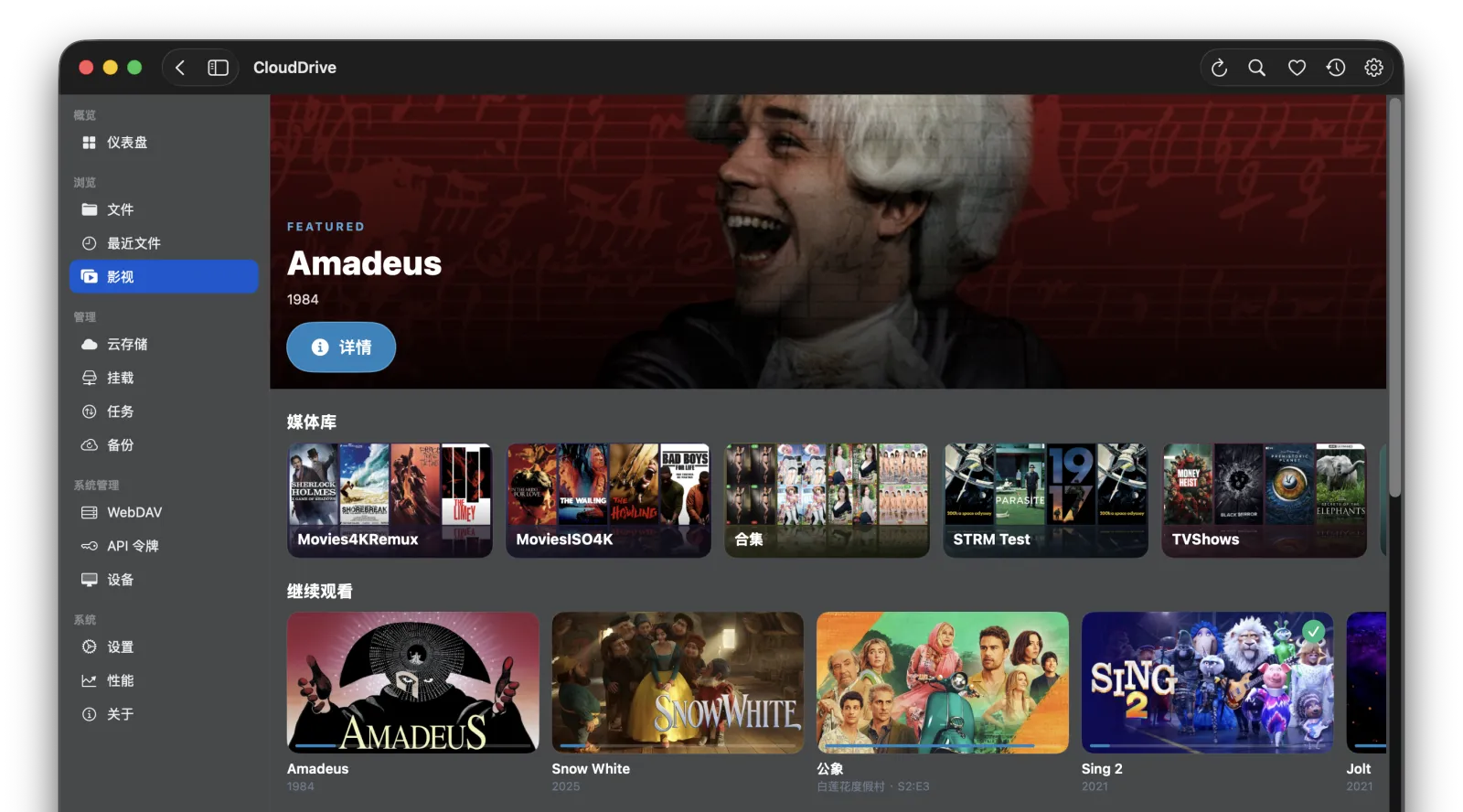
Sign in to your Emby or Jellyfin server to browse libraries, resume playback and read metadata. When the server's media folder lives on CloudDrive anyway, the player skips the server's transcoder and pulls from the cloud directly — your server stops relaying every byte.
From there the file is opened by the CloudDrive2 App's own player, so what plays is decided by the player and not by the server: Blu-ray ISOs with their HDMV disc menus, true Dolby Vision Profile 7, DSD and SACD ISOs — none of which Emby or Jellyfin support at all — open straight from the library, and your watch history still syncs back to the server.
On the server side there is also a companion plugin: live library updates without real-time monitoring, playback-aware prefetch, and path mappings you no longer write by hand.
- Direct Stream
- No server transcode
- Disc ISOs with menus
- Server companion plugin
True Dolby Vision and HDR10+
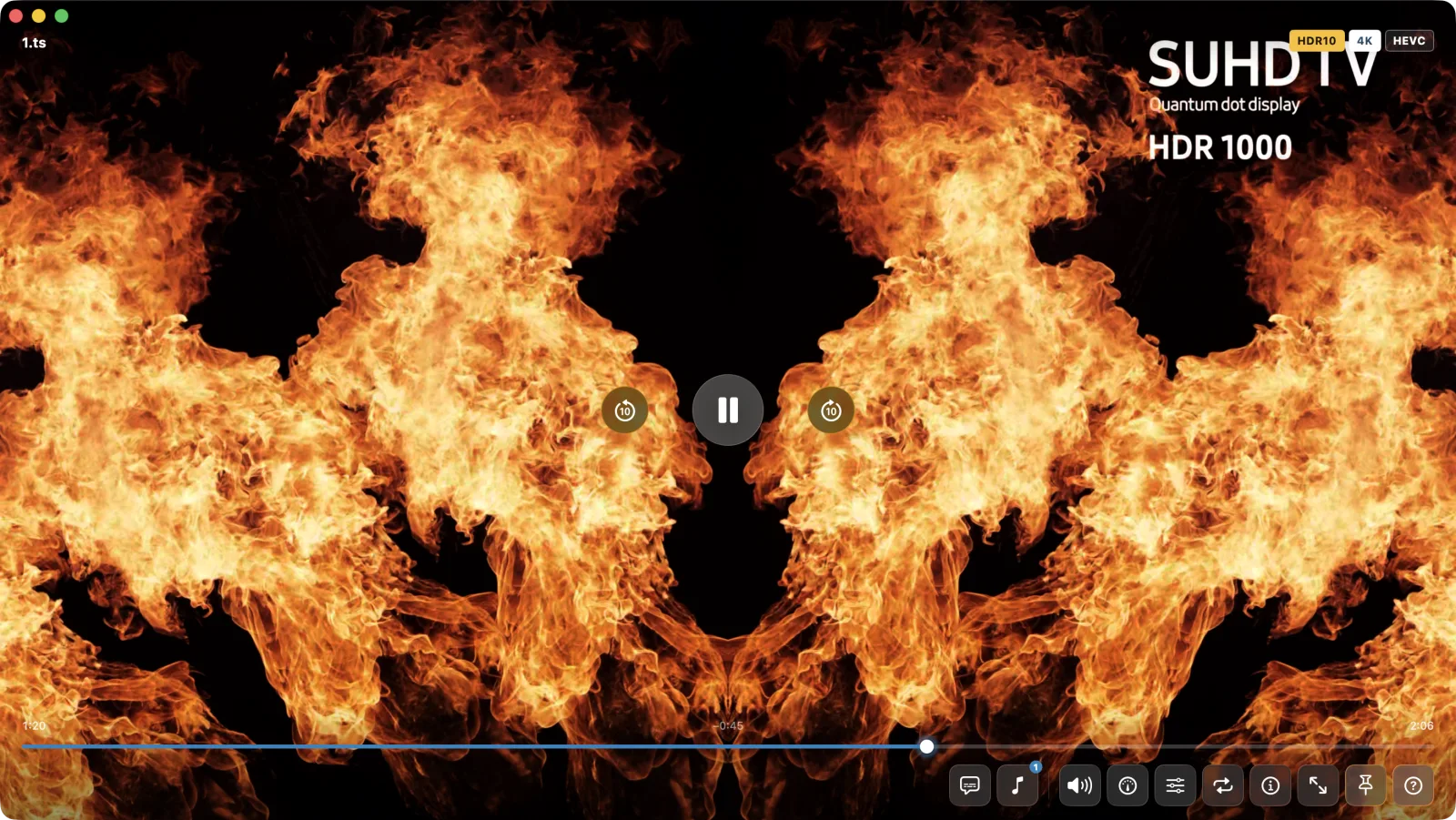
Hardware-accelerated HEVC, AV1 and H.264 decoding, with Dolby Vision Profiles 5, 7 and 8 alongside HDR10, HDR10+ and HLG. Profile 7 Blu-ray content plays as Dolby Vision, full enhancement layer (FEL) included, rather than falling back to HDR10.
A Profile 7 disc carries two picture layers. CloudDrive2 reads both and composes the enhancement layer into the final picture, full enhancement layer (FEL) sources included — what you get is the complete dual-layer Dolby Vision picture, not a base-layer-only render and not an HDR10 fallback. Windows, macOS, iPhone, iPad, Apple TV, Vision Pro, Android phones and tablets and Android TV all have it. The Meta Quest app is the exception: in the headset only the base layer is used.
- DV P5 / 7 / 8
- HDR10+ · HLG
- HEVC · AV1
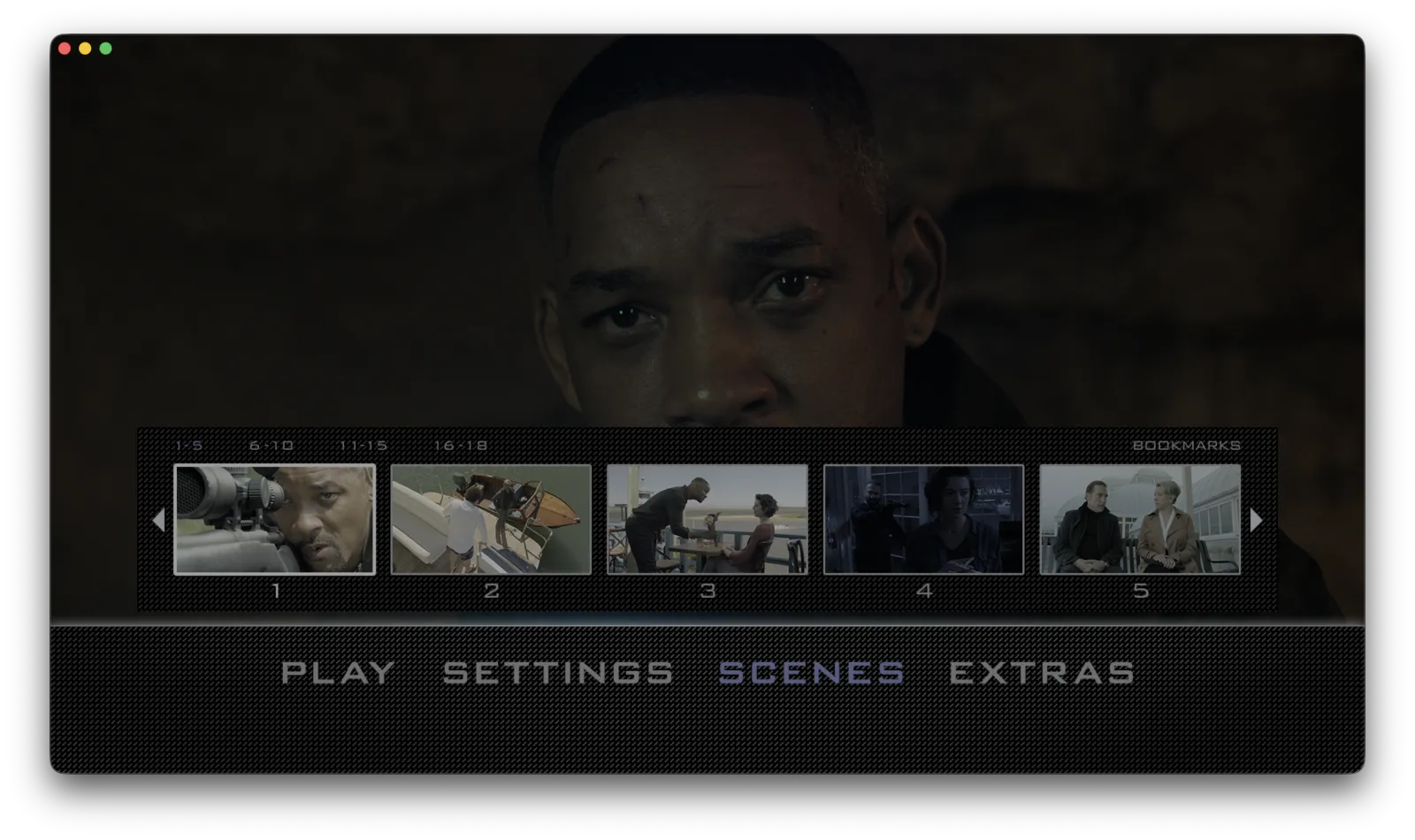
Blu-ray ISOs, disc menus included
Open a Blu-ray or DVD ISO straight from the cloud and get the real disc menu: chapter selection, audio tracks, subtitle tracks, coloured shortcut keys. If the image is incomplete, playback skips the menu and starts the main feature.
HDMV menus work on every platform. BD-J (Java) menus need Android, Meta Quest, Windows or the macOS build downloaded from this site; on iPhone, iPad, Apple TV, Vision Pro and the Mac App Store build a BD-J disc plays the main feature directly.
- HDMV menus
- BD-J menus
- DVD ISO
- TrueHD · DTS-HD MA
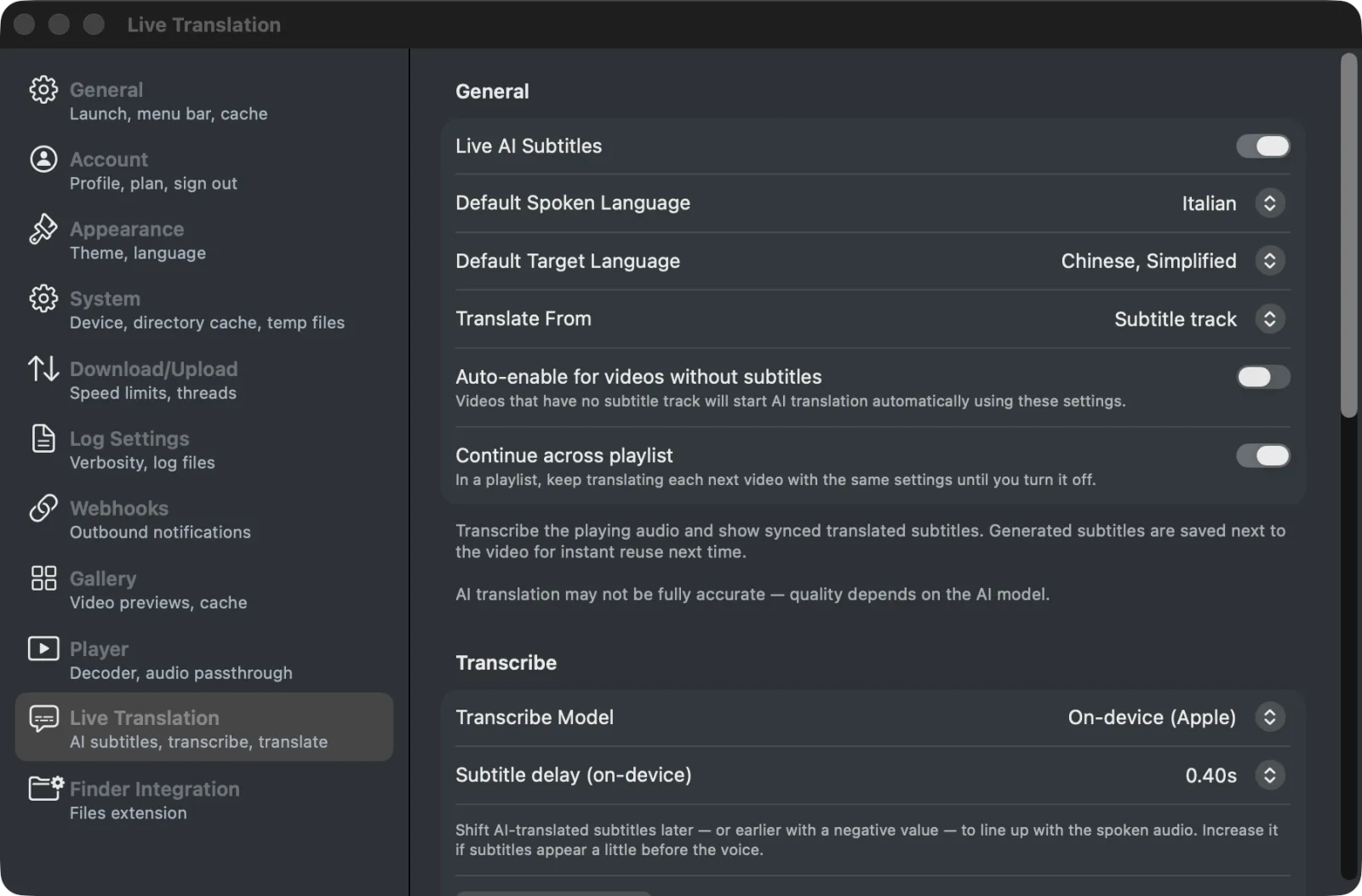
AI subtitle translation, on your device
Transcribe a film that has no subtitles and translate it into your language, or translate an existing foreign-language track in full. Both steps run locally — no audio is sent to any server. Generated subtitles are saved next to the video, so another device can reuse them.
- On-device transcription
- Whole-track translation
- Saved as SRT
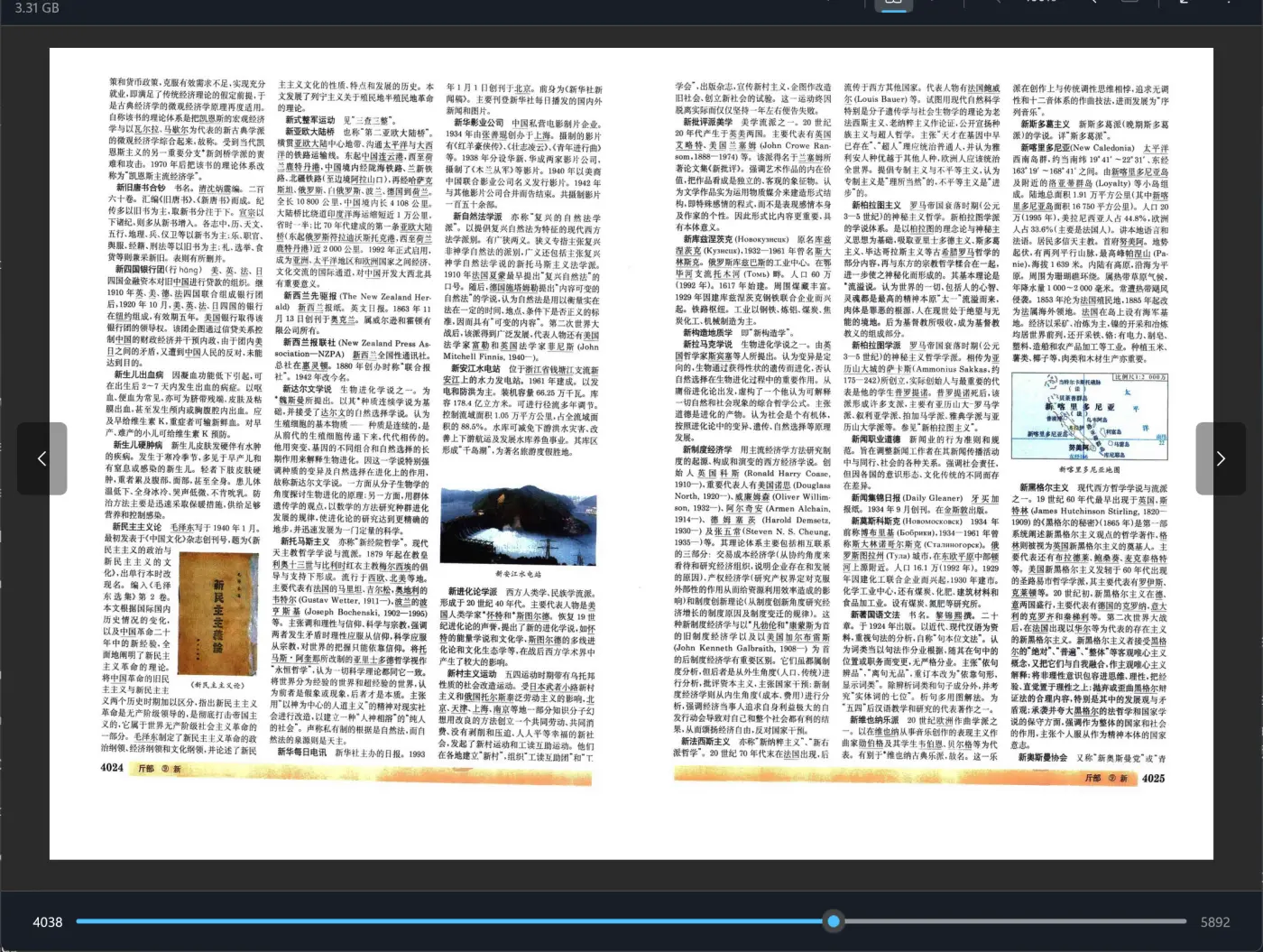
A multi-gigabyte PDF, open in seconds
The streaming PDF reader never pulls the whole book down, fetching only the byte range the pages you are looking at actually need. The 3.31 GB, 5892-page volume beside this opens from the cloud in seconds, and dragging the scrubber to page 4038 renders on the spot — with no complete copy left on your disk.
Turning pages, zooming and jumping through the outline all fetch on demand. Page thumbnails, outline navigation, bookmarks and reading-position memory are all there.
- Fetches pages on demand
- No full download
- Bookmarks and position
Audiophile audio: DSD, SACD, bit-perfect
Play DSD files and SACD ISOs straight from the cloud, sent over DoP to your USB DAC at up to DSD1024. The app reads the capabilities the DAC itself reports, so the sample rates, bit depths and DSD tiers you see are the ones it genuinely supports.
- DSD64 → DSD1024
- DoP 1.1
- SACD ISO
- Dolby Atmos
Native DSD straight to the DAC needs Android, the macOS build downloaded from this site, or Windows with your DAC's ASIO driver installed. Everywhere else it goes over DoP, which is equally bit-perfect.
DSD64 through DSD1024 are all supported. How far DoP and Native DSD actually go is set by the DAC you connect — the app outputs to what the DAC itself reports, and anything beyond that is converted to PCM.
See the audio settings on Android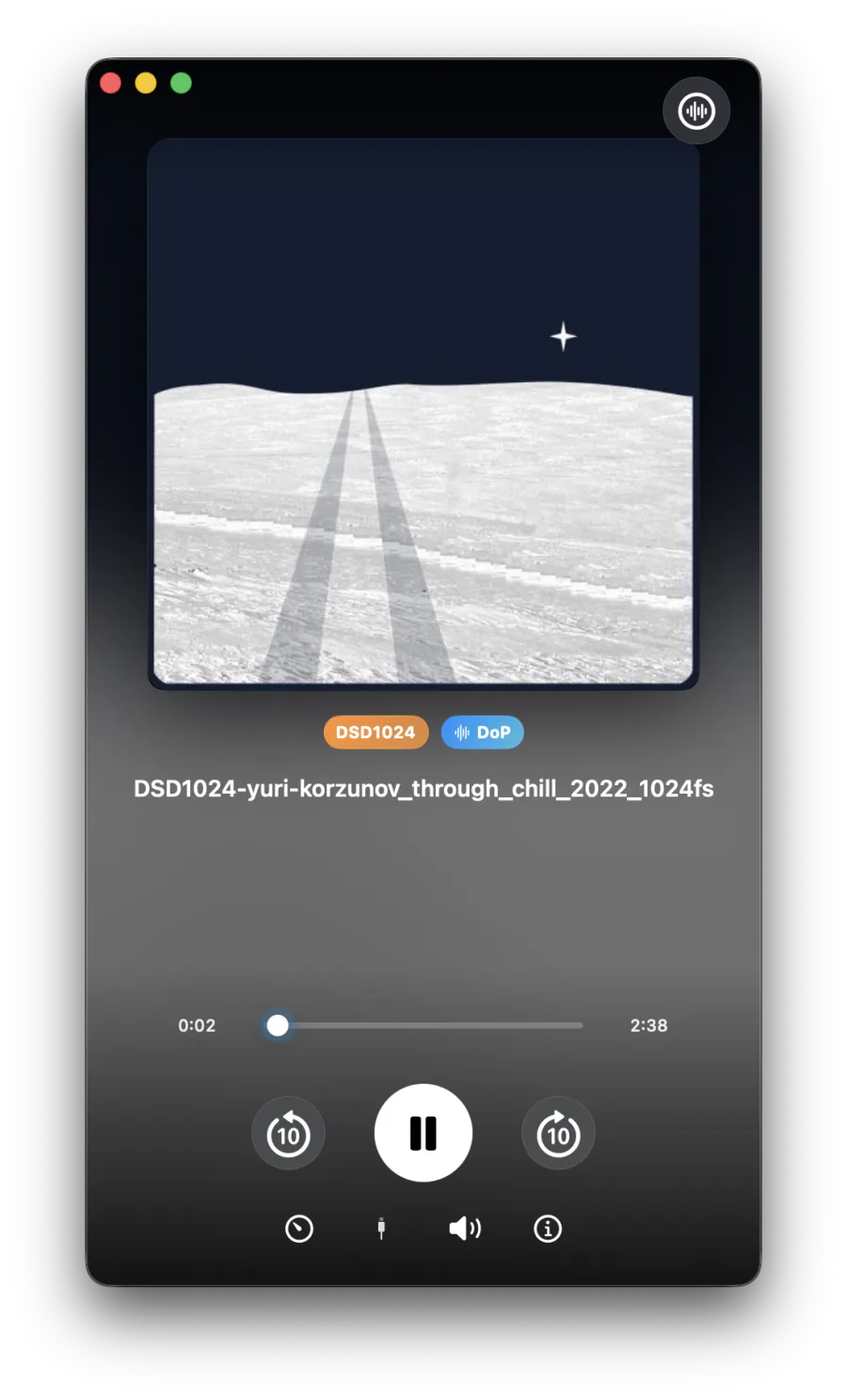
A private cinema on Vision Pro and Quest
180°/360° VR video, Apple Spatial video and MVC 3D Blu-ray, streamed from the cloud. In VR video, subtitles on both Vision Pro and Quest take on the depth of the picture automatically; flat video has no depth to follow, so its subtitles stay on the screen plane. On Quest you can also pick a cinema environment and set the screen's distance and curvature.
- 180° / 360°
- MVC 3D
- Apple Spatial video
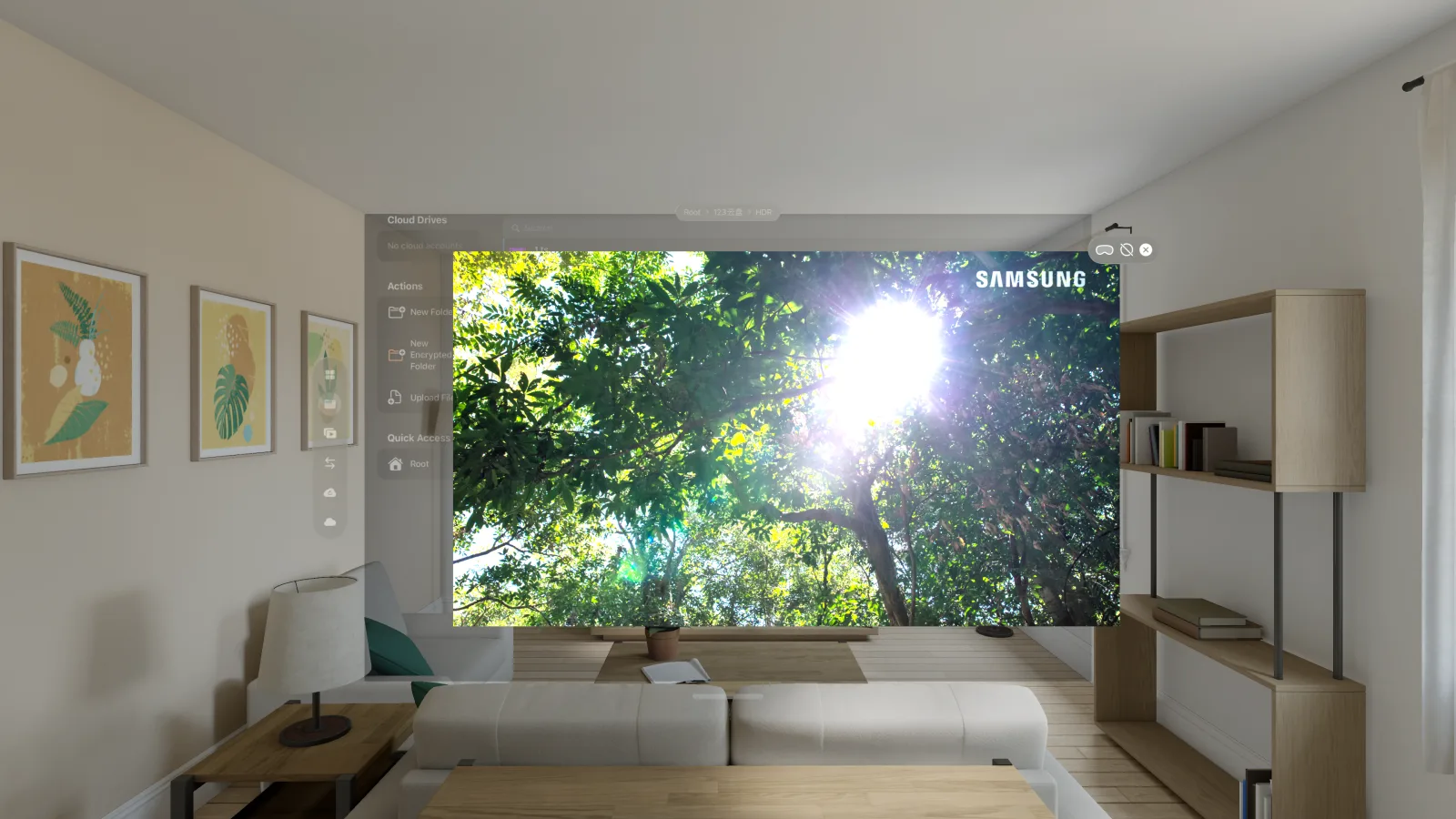
Open interface
Our own apps are just clients of this API
The core service exposes a complete gRPC API — not a handful of read-only endpoints held out as a gesture. Every CloudDrive2 platform app, and the management interface in your browser, is built entirely on it. There is no private route we kept for ourselves.
Which means a third-party developer can build anything we can. The interface is open to all of them.
It reaches everywhere
File operations, mount point management, transfer tasks, cloud accounts, backup, the WebDAV service, API tokens, two-factor authentication and session management — over two hundred RPC methods, all of them available. Filesystem changes arrive in real time over a server stream.
Take the proto and start
gRPC over HTTP/2, or gRPC-Web from a browser. Download the proto file and generate a client in whatever language you work in — the developer's guide walks through C#, Java, Go and Python.
You decide what it may touch
Authorise with an API token, tick only the permissions it needs, and give it an expiry. Handing a third-party program a read-only token is a different act from handing it everything.
curl https://www.clouddrive2.com/api/clouddrive.proto -o clouddrive.protoNot a promise on paper: the Emby and Jellyfin companion plugin on this site talks to CloudDrive2 through this same interface, by the same route any third-party program would take.
Partners
Some devices ship with CloudDrive2 already on them
TVs, TV boxes, Blu-ray players, NAS units, headsets — a lot of manufacturers build CloudDrive2 into their products, so their users reach their own clouds on first boot. Devices from certified partners go further and register with a device ID, which skips creating an account entirely.










We’re open to every manufacturer — if you want CloudDrive2 in your product, come talk to us.
For users with visual impairments
A ¥299 Core Lifetime tier, and a commitment
Since CloudDrive launched we have received many letters from users with visual impairments — not only kind words, but specific, practical suggestions about accessible interfaces. We commit to taking accessibility fully into account, and continuing to improve it, in the interface work ahead.
Those letters taught us how much effort it takes to operate several separate cloud-drive clients one by one. Mounting every cloud as a single system drive removes that layer of work entirely — which is exactly what CloudDrive does.
So while Core Lifetime has returned to its regular ¥499, we keep a ¥299 Core Lifetime tier available — identical to the ¥499 one in what it includes. Email us the name and certificate number on your visual-disability certificate, and we will review it and send a discount code straight away. Redeem it on a direct purchase with your CloudDrive account in a build that did not come from a store — the Windows app, the macOS app or Android APK downloaded from this site, or the core service's web interface — then sign in to the store build with the same account. Store rules mean discount codes cannot be applied through the App Store, Google Play or the Meta store.
Email us for a code See all plans
Thank you for your understanding and support, and for helping us make this a better product.
Put your clouds on every screen
The core is free to start: download it for a computer, NAS or Docker host, or get the app for your phone, TV or headset from its store.