Android · tablets · TV boxes
Every cloud you use, in a single app
All your clouds in one app, with an audiophile-grade Blu-ray and HDR player: real disc menus (HDMV and BD-J), Dolby Vision, DSD and SACD — streamed from the cloud, no download first.
- HDMV + BD-J menus
- Dolby Vision P5 / 7 / 8
- Native DSD · DSD1024
- On-device AI subtitles
- Android TV
Clouds
One app for every cloud
Connect every account in one place
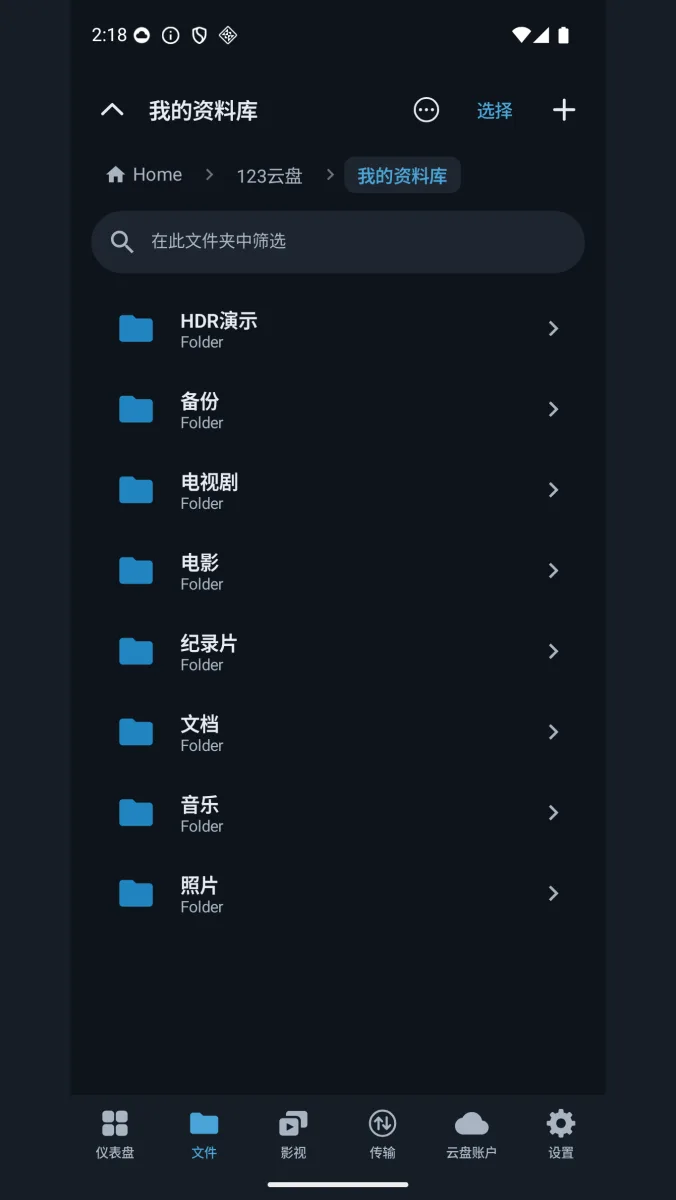
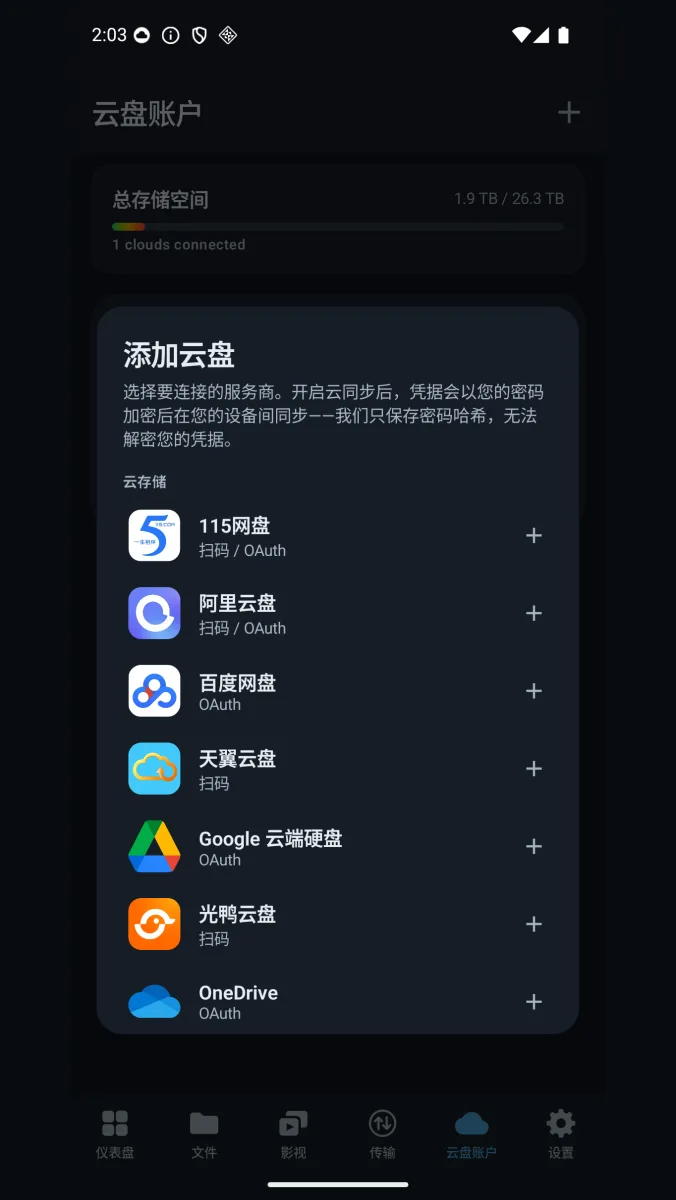
115, Aliyun Drive, Baidu Pan, 123 Pan, Xunlei Cloud, Tianyi Cloud, GuangYaPan, S3 and S3-compatible object storage, Google Drive, OneDrive, WebDAV, SMB, FTP/SFTP, a remote CloudDrive server, or a local folder. Browse them all through one unified list or grid: sort, search, multi-select, upload (whole folders included), download, copy, move, rename, delete and create folders — across clouds, not just within one.
Accounts sign in by QR code or OAuth, and the app says plainly on screen that it only stores a password hash and cannot decrypt your credentials.
Mounting a cloud as a local folder is handled by Mount Management, and on phones it requires root; without root the app tells you so up front. Everyday browsing, playback and transfers need no root at all.
- Search across clouds
- QR code / OAuth sign-in
- S3 · WebDAV · SMB
Media
An audiophile player wired straight to the cloud
Built on FFmpeg and Media3/ExoPlayer. A 60 GB disc image never has to be downloaded or mounted first — the player streams it from the cloud.
Blu-ray disc menus, both HDMV and BD-J
Play a Blu-ray ISO or BDMV folder straight from the cloud, with the real disc menu. Both HDMV and Java (BD-J) menus work — BD-J runs on a bundled OpenJDK runtime, which is an Android-only advantage here: Apple platforms handle HDMV only.
Navigate the menu, pick a chapter, use Play All, and start the feature without leaving the session; your chosen audio and subtitle tracks carry through. Coloured shortcut keys, in-session PGS subtitle rendering, external .ass/.srt subtitles and a merged "Resume / Disc menu" chooser are all there. Truncated or incomplete images skip the menu and play the full feature directly. MVC 3D Blu-ray is supported.
- BD-J (bundled OpenJDK)
- HDMV menus
- ISO and BDMV folders
- MVC 3D Blu-ray
HDR, Dolby Vision and decoding
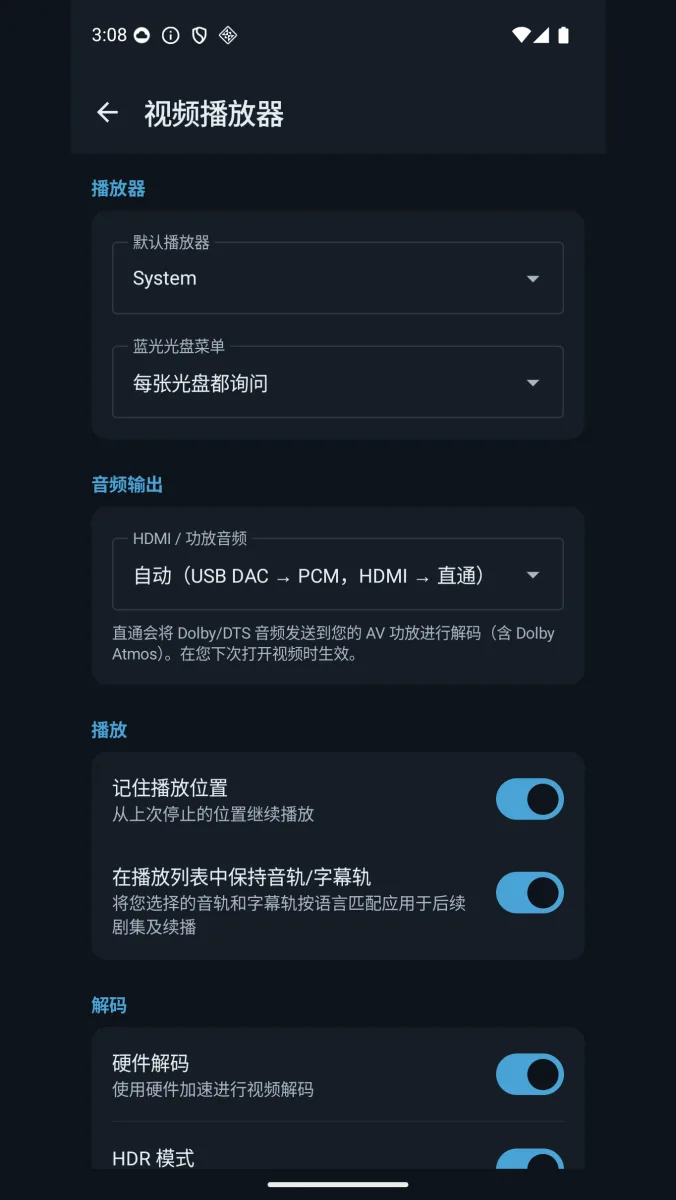
HDR10, HDR10+ and Dolby Vision (profiles 5, 7 and 8). Remuxed TS and M2TS streams are still detected correctly for HDR and frame rate, so a change of container doesn't cost you the dynamic metadata. 4K, 8K and AV1 all play, and H.264 High Profile falls back to FFmpeg decoding when the hardware decoder can't handle it.
Dolby Vision output depends on the device: the TV or box has to support Dolby Vision output itself, and hardware without it plays the same file in HDR10 or another supported format. A Profile 7 disc carries two picture layers; CloudDrive2 reads both and composes the enhancement layer into the final picture, full enhancement layer (FEL) sources included. Profile 7 in both its P7/P8 and P7 FEL forms works on phones, tablets and Android TV alike.
- HDR10 · HDR10+
- Dolby Vision P5 / 7 / 8
- 8K · AV1
- FFmpeg fallback
AI live subtitle translation
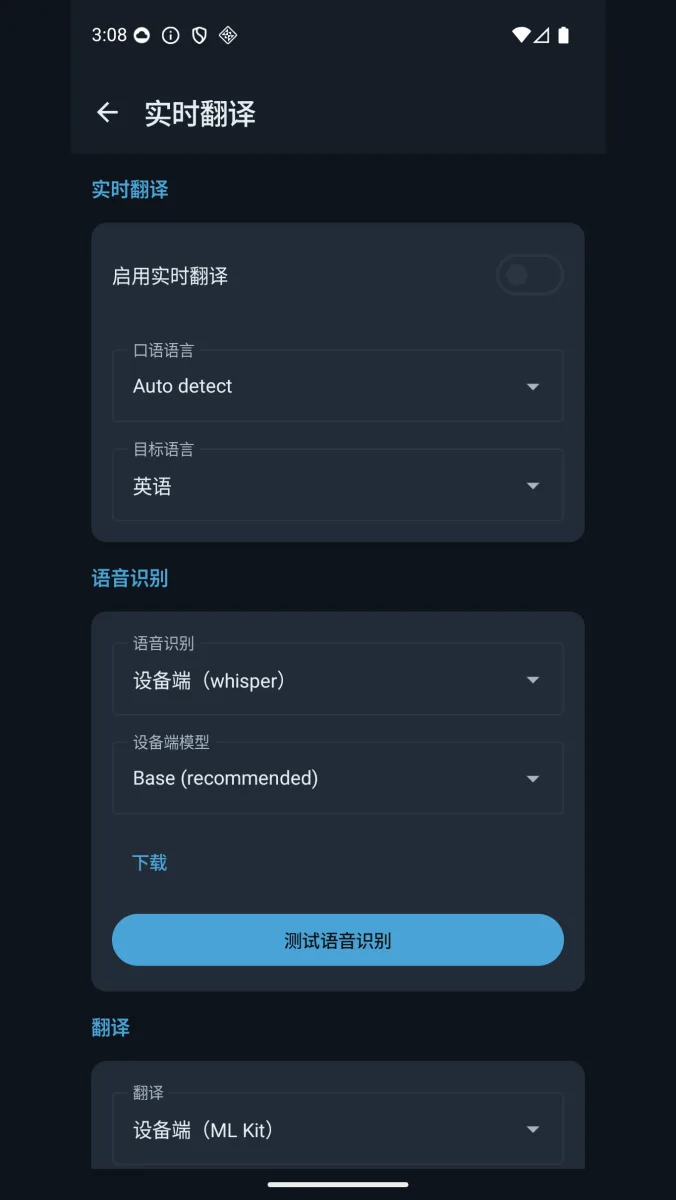
Translate while you watch. CloudDrive2 prefers an existing subtitle track — including OCR of PGS graphical subtitles — and only falls back to speech recognition when there is none. Run the whole thing on-device, with whisper.cpp transcribing and ML Kit translating so the audio never leaves the phone, or point it at a remote API: OpenAI, Groq, Qwen, or your own Speaches / MTranServer instance.
Generated subtitles can be saved back to the cloud and reused on any device.
Everything about AI subtitle translation
- On-device whisper.cpp
- On-device ML Kit
- PGS OCR
- Saved back to the cloud
USB DACs, DSD and SACD
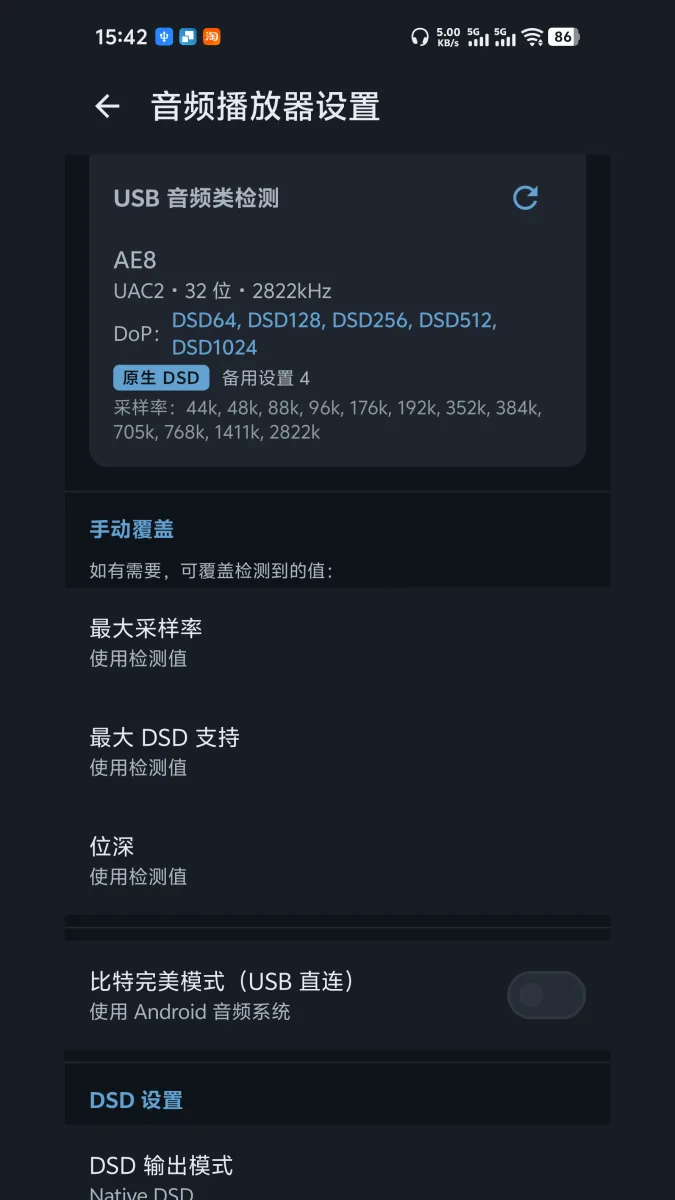
Plug in a USB DAC and the app reads what it can actually do: sample-rate range, bit depth, and how far DoP goes. A dedicated USB audio driver (USBFS) and DST decoder bypass Android's mixer and deliver a bit-perfect signal.
DSF, DFF and SACD ISO stream straight from the cloud, with DoP output, native DSD to the DAC and multichannel DSD. Over HDMI you get Dolby Atmos and TrueHD passthrough plus multichannel output.
DSD64 through DSD1024 are all supported. How far DoP and Native DSD actually go is set by the DAC you connect — the app outputs to what the DAC itself reports, and anything beyond that is converted to PCM.
- DSD64 → DSD1024
- USBFS bit-perfect
- SACD ISO · DST
- Atmos / TrueHD passthrough
Music player
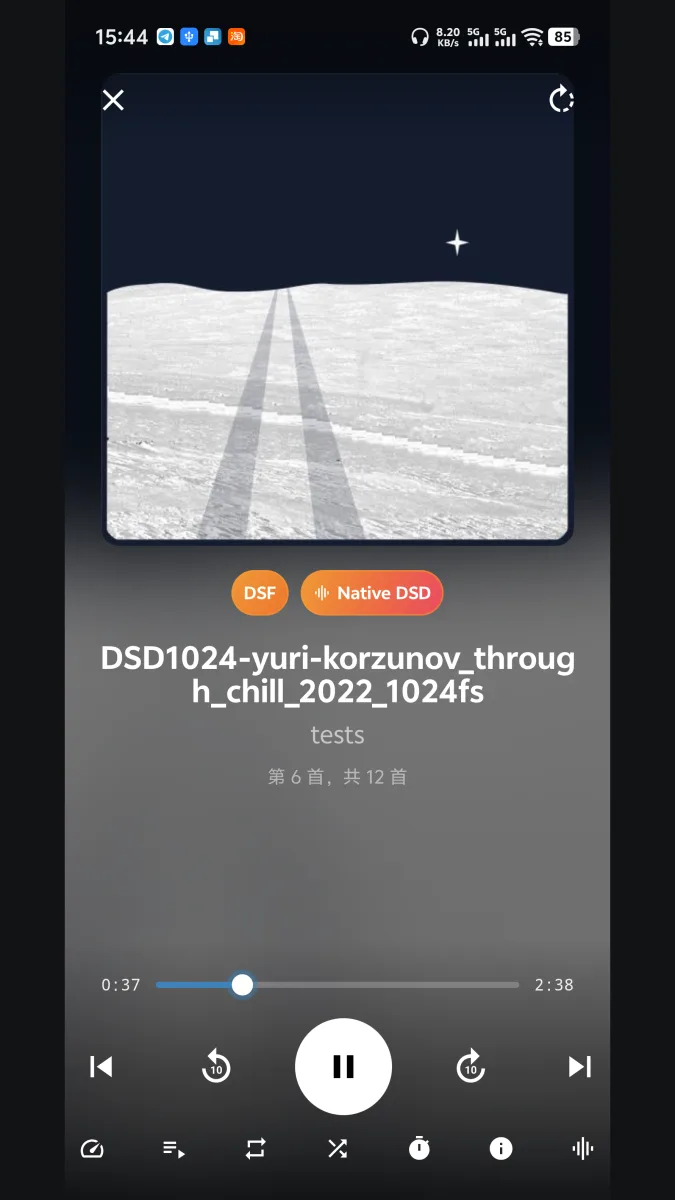
A Now Playing screen, media-notification and lock-screen controls, cue-sheet support and multichannel DSD. Keep a whole SACD ISO or a pile of DSF files in the cloud and press play — nothing has to be synced down first.
- Native DSD
- Cue sheets
- Lock-screen controls
Android TV
TVs and TV boxes
The same app, installed on Android TV or a TV box, switches to a focus-first interface with full D-pad navigation.
A remote-first TV interface
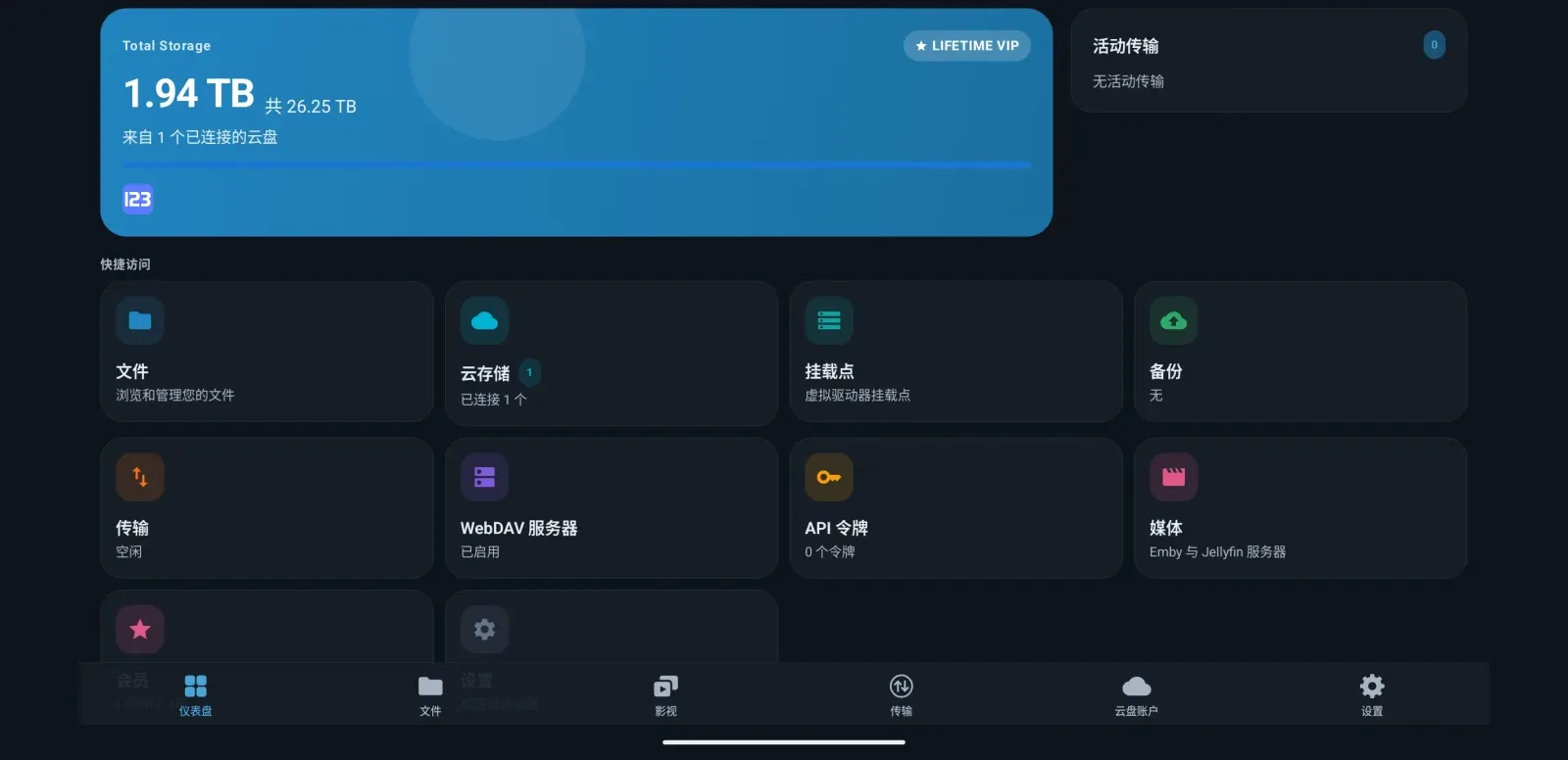
Breadcrumbs, focus rings and the back button all behave the way a remote expects, and the landscape dashboard fits the storage card and the shortcuts you use on one screen — instead of a touch layout stretched onto a television.
- D-pad navigation
- Landscape dashboard
Emby and Jellyfin, with Direct Stream
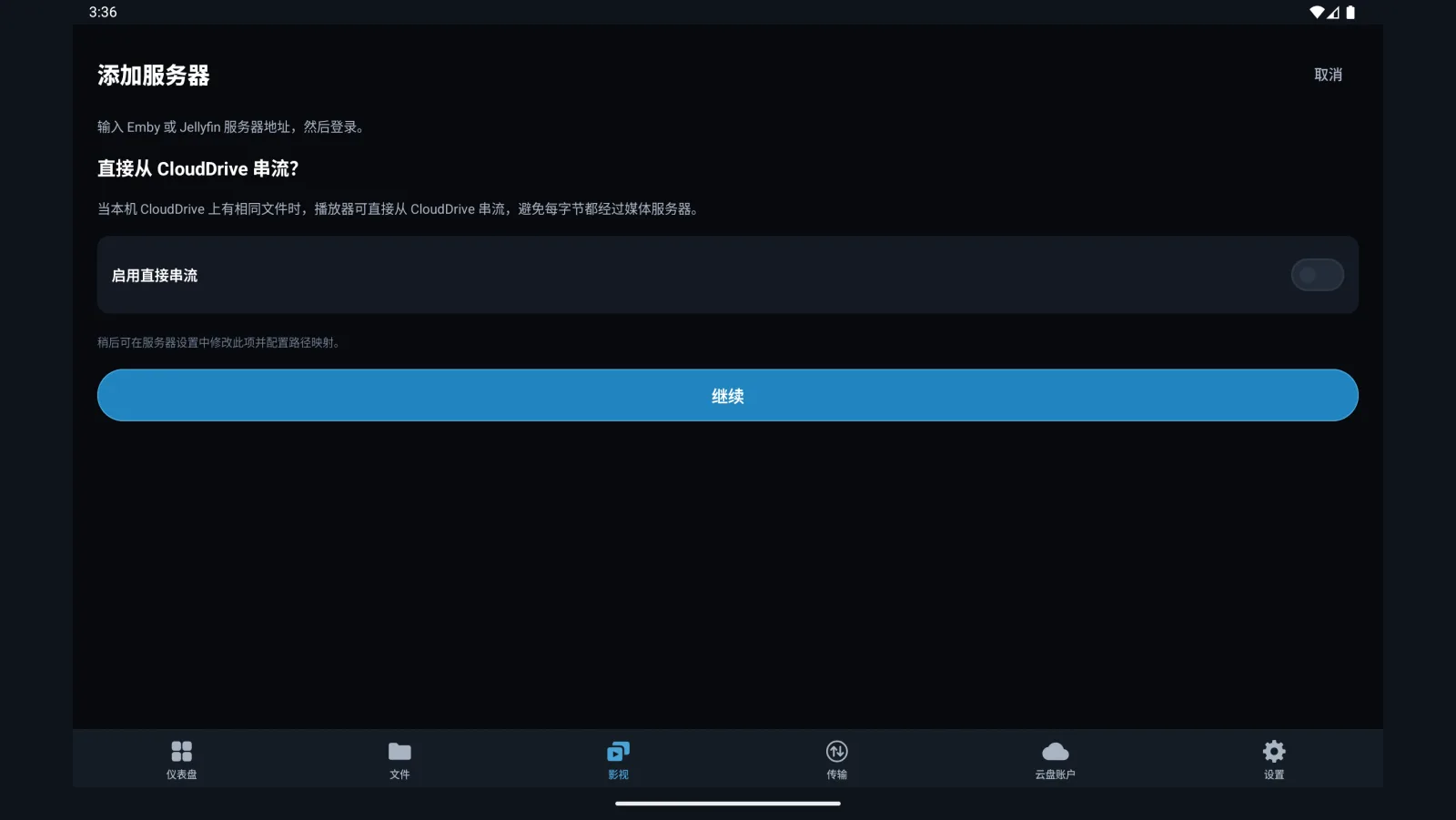
Browse and play your Emby or Jellyfin libraries in the app, filtered by genre, rating or tag. Once path mapping is configured, Direct Stream pulls the media through your local CloudDrive instead of sending every byte through the media server — so formats the server can't transcode still play at full quality. AI-generated subtitles can be sent back to the server.
This works on phones and tablets too; it isn't a TV-only feature.
On the server side there is also an Emby and Jellyfin companion plugin: live library updates, playback-aware prefetch, and path mappings that configure themselves.
- Direct Stream
- Path mapping
- Subtitles back to the server
HDMI passthrough and display-mode matching
The TV build has its own audio engine: switch tracks, send multichannel SACD out over HDMI, and pass Dolby Atmos and TrueHD through to your AVR. On Amlogic boxes it also does HDMI HDR passthrough and matches the source's frame rate and display mode automatically — a 24p film goes out at 24p, with no extra interpolation layer.
- HDMI audio passthrough
- Frame-rate matching
- HDR passthrough (Amlogic)
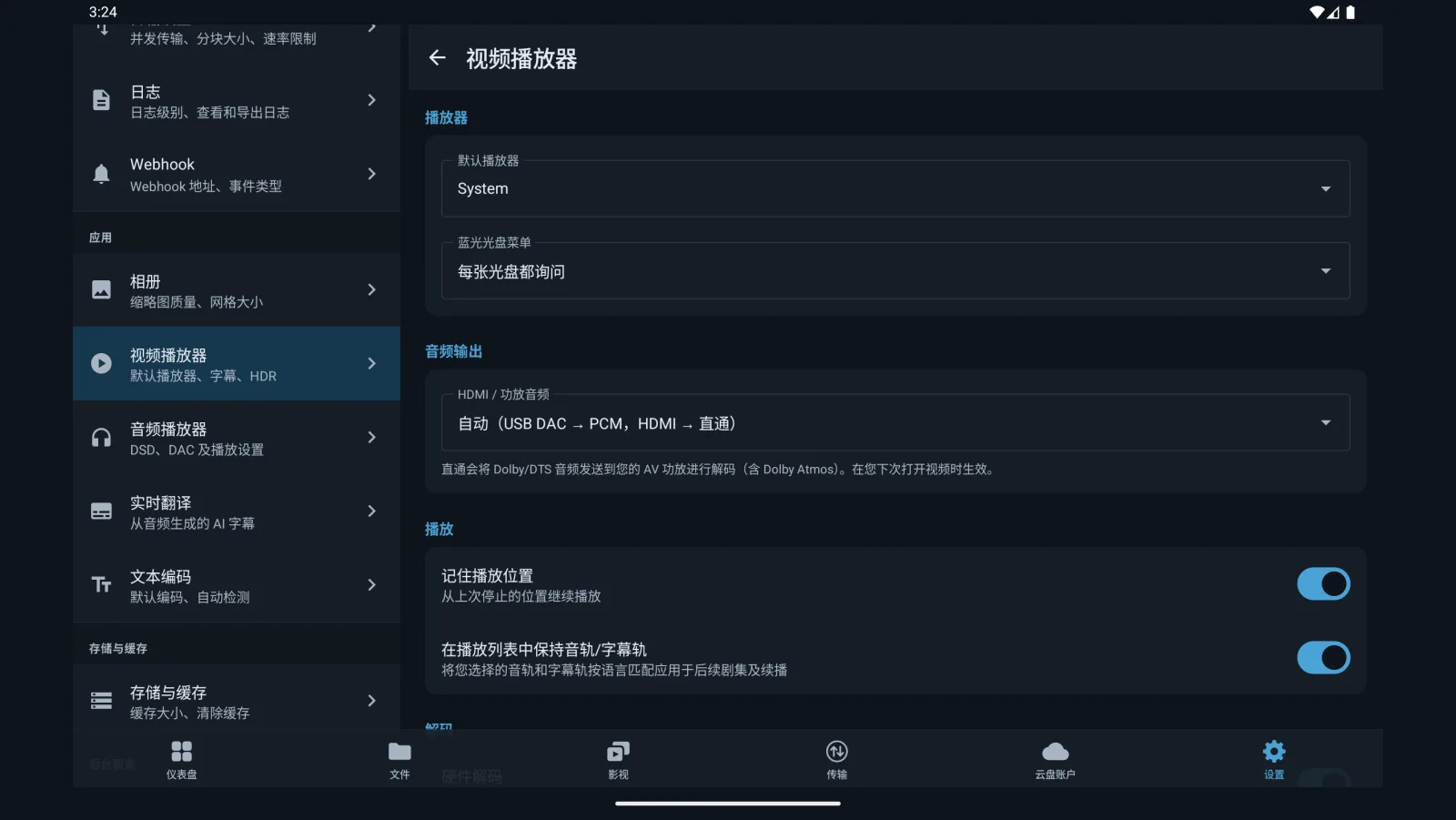
AI subtitles on the big screen
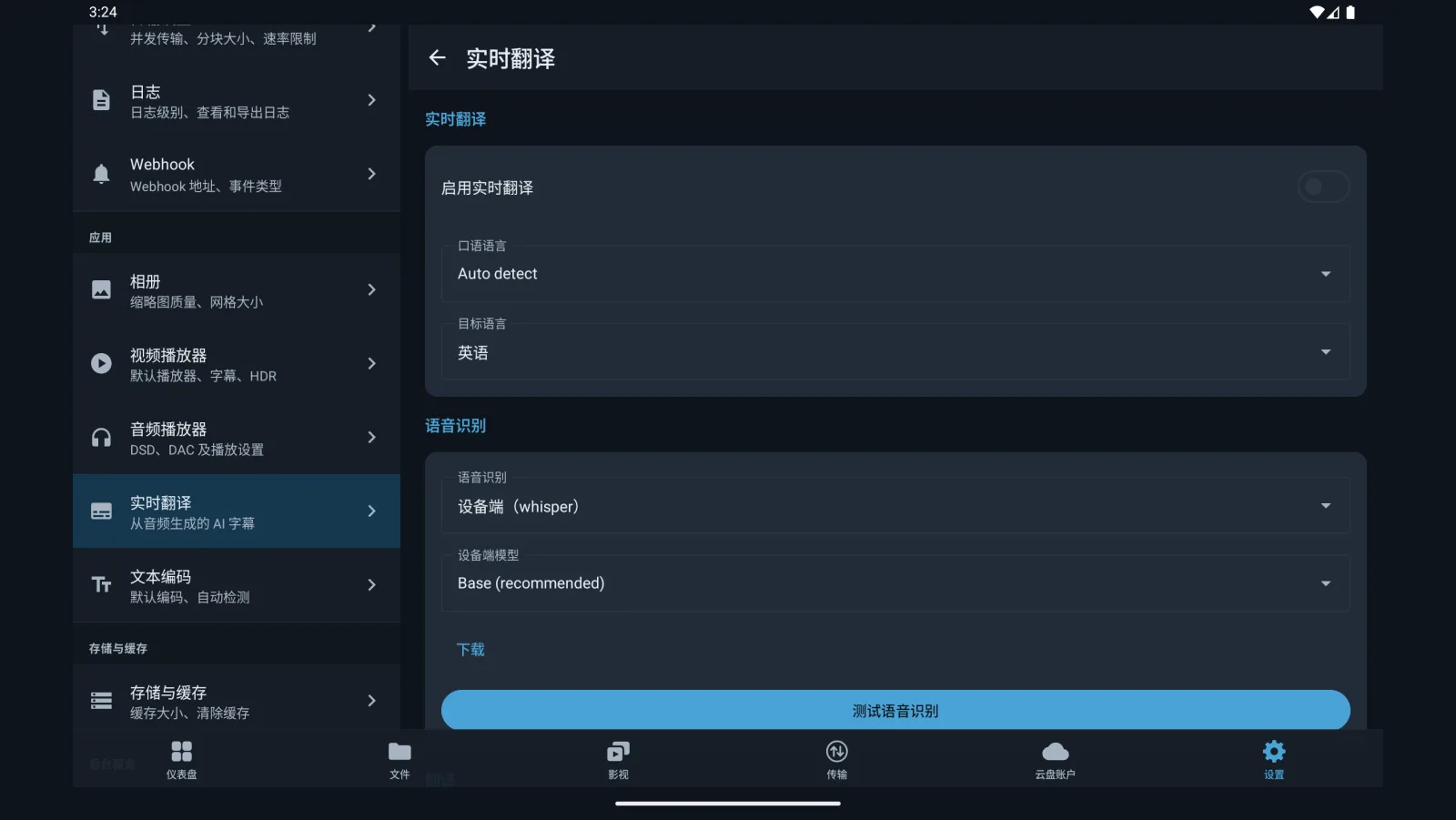
Subtitle translation works on the TV as well, and transcription can run entirely on the box with on-device whisper — no hunting for a subtitle file before a foreign-language film. Subtitle styling, size and position and HDR subtitle brightness are all adjustable from the remote.
Everything about AI subtitle translation
- On-device whisper ASR
- HDR subtitle brightness
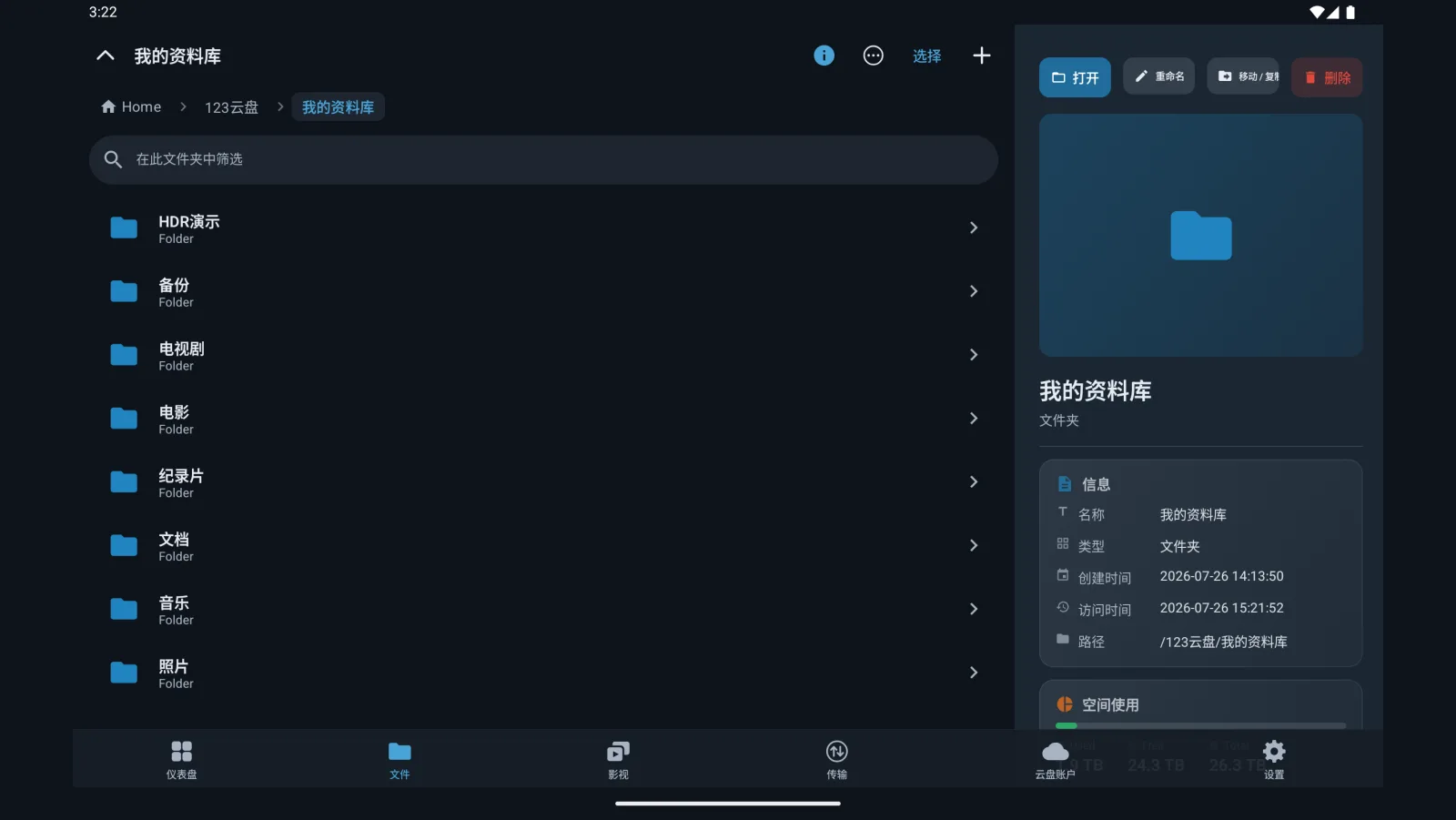
Two-pane browsing with an inspector
File browsing on the TV is two-pane: the folder on the left, the inspector on the right. Move the focus onto a file and you can read its codec, size and track layout — enough to know what a release actually is without leaving the sofa.
- Two-pane browser
- Inspector panel
Backup
Photos and files, backed up on their own
Back up the photos, videos and files on this Android device to one or more clouds. The source has to be added as a local folder first before a backup can use it.
-
Add the local folder
On the Cloud Storages page, click Add Cloud Storage and pick Local Folder under Local Storages. Pick a directory under
/sdcard: the camera roll is/sdcard/DCIM, downloads are/sdcard/Download, or take/sdcarditself to back up the whole of internal storage. You are asked for storage permission the first time. -
Create the backup
On the Backups page, click Add Backup, set the source to the local folder you just added, and name one or more cloud directories as destinations — several clouds at once is fine.
-
Turn on File System Watcher
Enable it in the backup's settings and it monitors the source folder in real time, so new photos, new videos and newly saved files are backed up on their own.
Create an encrypted folder on the cloud first and choose it as the destination: photos and files are encrypted on the device before upload, and what the provider stores is ciphertext with no way to read the originals. The password stays on the device and is never synced to our servers.
Backups run in the background, and the same applies on a TV box — recordings and downloads go up to the cloud on their own. Full steps are on the help page.
More
The rest of what you'll use daily
Gallery and image viewer
Full-resolution 1:1 zoom, EXIF orientation, slideshow and brightness memory. Photos in the cloud page through as smoothly as local ones.
Streaming PDF reader
A multi-gigabyte book opens straight from the cloud, usually reaching the first page in seconds. The reader fetches only the byte range the pages on screen need, so there is no full download and no complete copy left on the device.
Cross-cloud transfers
Cross-cloud copy and move, with a transfer manager for pause, resume, retry, bandwidth throttling and concurrency. Backup is above.
Subtitles and picture
External ASS, SRT and VTT, embedded text tracks, and PGS graphical subtitles rendered with libass. Subtitle styling, size and position, HDR subtitle brightness, and independent audio and subtitle delay.
In-app updates
Sideloaded the APK? The app checks for new releases and prompts you. Installed from Google Play? The store handles updates.
System file picker (SAF)
CloudDrive2 works with Android's Storage Access Framework, so other apps can browse and open your cloud files natively through the system file picker.
A WebDAV server of its own
Your Android phone, tablet or TV box is itself a WebDAV server: every cloud you have connected is served over a standard protocol, so third-party apps on the same network — players, file managers, backup tools — read your cloud content directly without signing in to each provider again.
And these
Light and dark themes, English and Chinese localisation, and a feature set that lines up with the CloudDrive server, web, Apple and Meta Quest versions.
Get it
How to install
A universal build covering arm64-v8a and armeabi-v7a. Requires Android 7.0 or later. The same package serves phones, tablets and Android TV boxes.
Browsing clouds, managing files and basic playback need no extra purchase. The advanced playback features — HDR and Dolby Vision, DSD, ISO disc playback (Blu-ray, DVD and SACD), AI subtitle translation and the media client (Emby and Jellyfin) — need the one-time App Pro in-app purchase.
App Pro is tied to your CloudDrive account, not to a device or a store. Buy it once and it is unlocked wherever you sign in with that account — Android, Apple devices and Meta Quest alike. See plans and pricing.
Everything on this page is what the app does today. CloudDrive2 is under active development, and what cloud providers and platforms allow changes too, so features can change or be withdrawn without notice.
Feature requests and bug reports are genuinely welcome — they are how the next release gets decided. Best filed as GitHub issues, where they stay on the record; you can also write to waytechcloudfs@gmail.com or join the Telegram group.